Audit signing
Audit signing enforces additional confirmation for critical tasks and improves the security of your project. Set up audit signing to trigger an electronic signature workflow for specific users or groups when they access selected FactoryTalk Optix Application areas or perform specific actions.
Electronic signature workflows
You may require the users to complete electronic signature workflows if a specific condition occurs. By default, all workflows allow the users to provide optional notes.
- ConfirmWorkflow
-
Requires users to select Confirm to perform a specific action.
You can use ConfirmWorkflow to provide users with a confirmation prompt that summarizes the changes to enforce.
Figure 1. ConfirmWorkflow 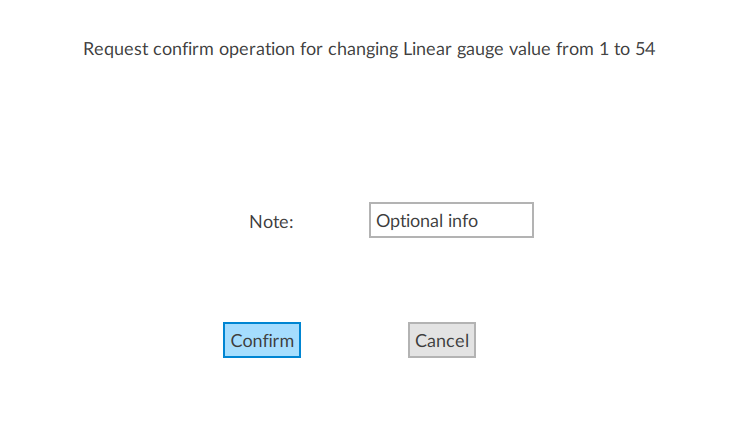
- SignWorkflow
-
Requires the user to authenticate and select Confirm to perform a specific action.
You can use SignWorkflow to provide users with a summary of changes to enforce and require users to authenticate their identity.
Figure 2. SignWorkflow 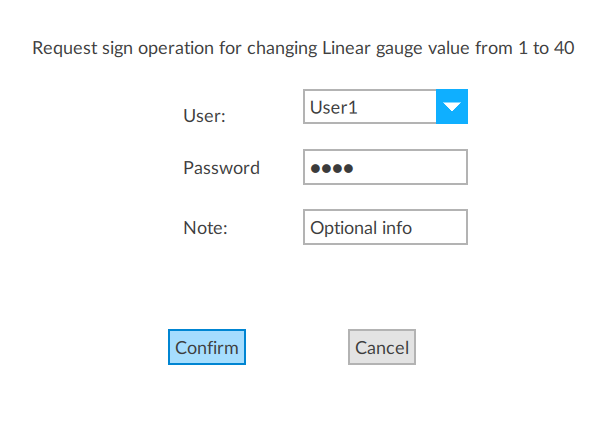
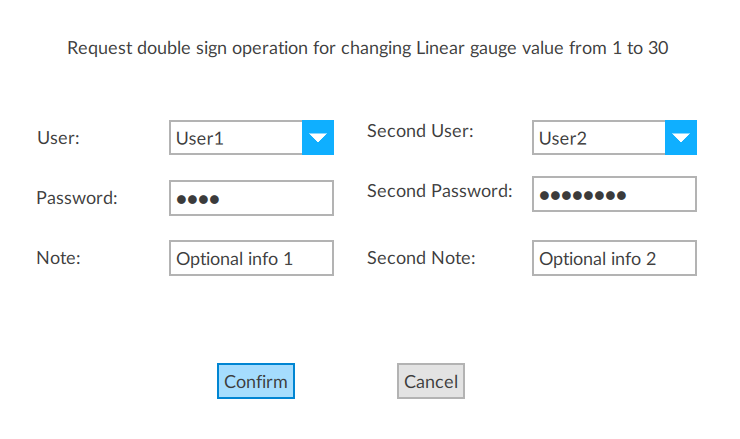
- DoubleSignWorkflow
-
Requires two users to authenticate their identity and select Confirm to perform a specific action.
You can use this workflow to provide users with a summary of changes to enforce and require the user and another authorized user to authenticate their identities.
Figure 3. DoubleSignWorkflow